📌 Key Takeaways
- Filing online is free and takes under an hour.
- Keep PAN, Aadhaar, Form 16, 26AS and AIS ready.
- Compare the old and new regime before submitting.
- It is not done until you e-verify.
Filing your Income Tax Return (ITR) online in India is far simpler than most people fear. If you have a PAN, an Aadhaar, and your income details, you can complete the whole process on the official e-filing portal in under an hour — no agent, no fees. This step-by-step guide walks you through filing your ITR for Assessment Year 2026–27, including which form to pick, what documents to keep ready, and mistakes to avoid.
Who Needs to File an ITR?
You generally must file if your gross total income for the financial year exceeds the basic exemption limit. Even if it does not, filing is worth it to claim a TDS refund, apply for loans or visas, or carry forward losses. Salaried employees, freelancers, and small business owners all file — the form just differs.
Important: Know Your Deadline
For most individual taxpayers who are not subject to audit, the due date usually falls on 31 July following the end of the financial year. Filing after the deadline can attract a late fee and interest, so always confirm the exact current-year date on the official portal and file early to avoid the last-minute rush.
Documents to Keep Ready
- PAN and Aadhaar (linked to each other).
- Form 16 from your employer, if salaried.
- Form 26AS and the Annual Information Statement (AIS) — your tax credit and transaction summary.
- Bank account details and interest certificates.
- Proofs for deductions — insurance, PPF, ELSS, home loan, tuition fees, and so on.
- Capital gains statements if you sold shares, mutual funds, or property.
Which ITR Form Should You Use?
- ITR-1 (Sahaj): resident individuals with salary, one house property, and other income up to the prescribed limit.
- ITR-2: individuals with capital gains or more than one house property.
- ITR-3: income from business or profession.
- ITR-4 (Sugam): presumptive income for small businesses and professionals.
The portal often suggests the right form based on your details, but knowing your category helps you check it is correct.
Step-by-Step: Filing ITR Online
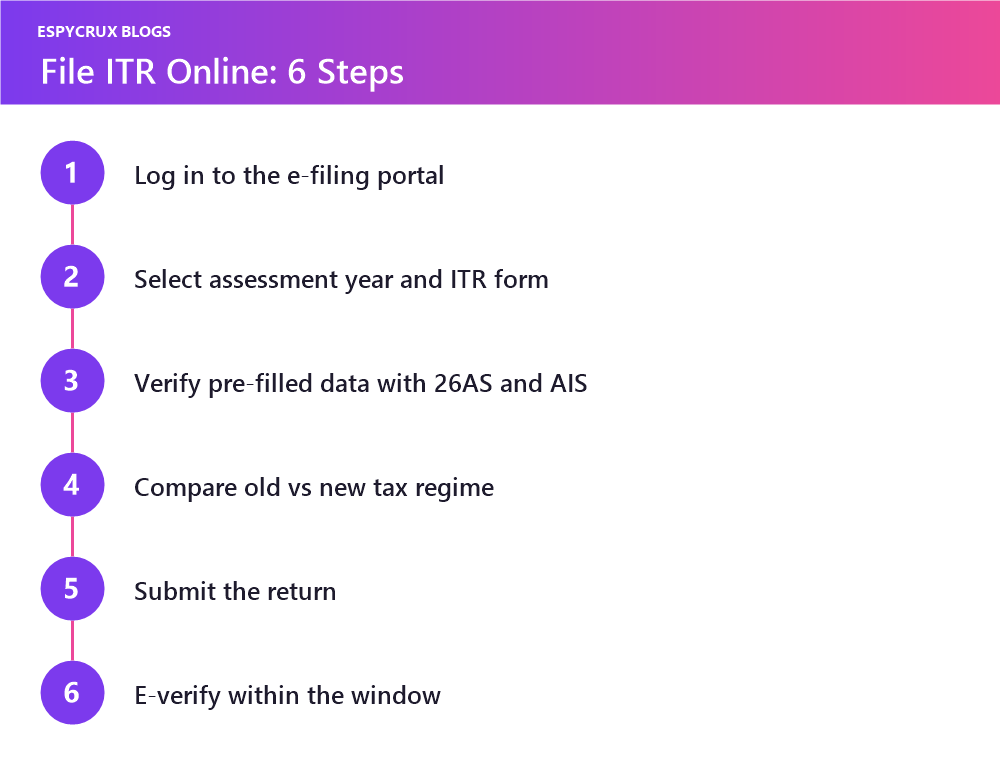
- Log in to the official Income Tax e-filing portal using your PAN (User ID) and password.
- Go to e-File → Income Tax Returns → File Income Tax Return.
- Select the correct Assessment Year and filing mode (online is easiest).
- Choose your status (Individual) and the applicable ITR form.
- Review the pre-filled data — personal details, salary, and TDS are often auto-populated. Cross-check against Form 16 and AIS.
- Enter deductions and any income the portal did not capture.
- Confirm your tax regime — compare the old and new regimes to see which lowers your tax.
- Validate, review the summary, and submit.
- E-verify within the allowed window using Aadhaar OTP, net banking, or a bank EVC. Your return is not complete until it is verified.
Old Regime vs New Regime — A Quick Note
The new tax regime offers lower slab rates but fewer deductions, while the old regime rewards those who invest in tax-saving instruments and claim exemptions like HRA. If you have significant deductions, compare both before choosing. The portal’s tax calculator makes this easy.
Common Mistakes to Avoid
- Skipping e-verification — the single most common reason returns are treated as not filed.
- Ignoring the AIS — mismatches with your return can trigger notices.
- Choosing the wrong form or wrong assessment year.
- Forgetting interest income from savings and fixed deposits.
- Waiting until the deadline, when the portal is slowest.
Final Thoughts
Filing your ITR online is a yearly habit worth mastering. Keep your documents organized, reconcile your income with Form 26AS and AIS, pick the right regime, and always e-verify. Do it early, and what feels stressful becomes a 30-minute task — plus you stay compliant and get any refund faster. When in doubt on a specific figure, check the official portal or consult a qualified tax professional.
Frequently Asked Questions
For most individuals not under audit it is usually 31 July — always confirm the current-year date on the official portal.
Yes — your return is not treated as filed until it is verified.
It depends on your deductions. Compare both using the portal’s tax calculator.